📄 PDF Merger
Combine multiple PDFs into one document. Drag & drop, reorder, and merge.
Drop PDFs here or click to browse
Supports multiple PDF files (max 2GB total, modern browsers)
What Is a PDF Merger Tool?
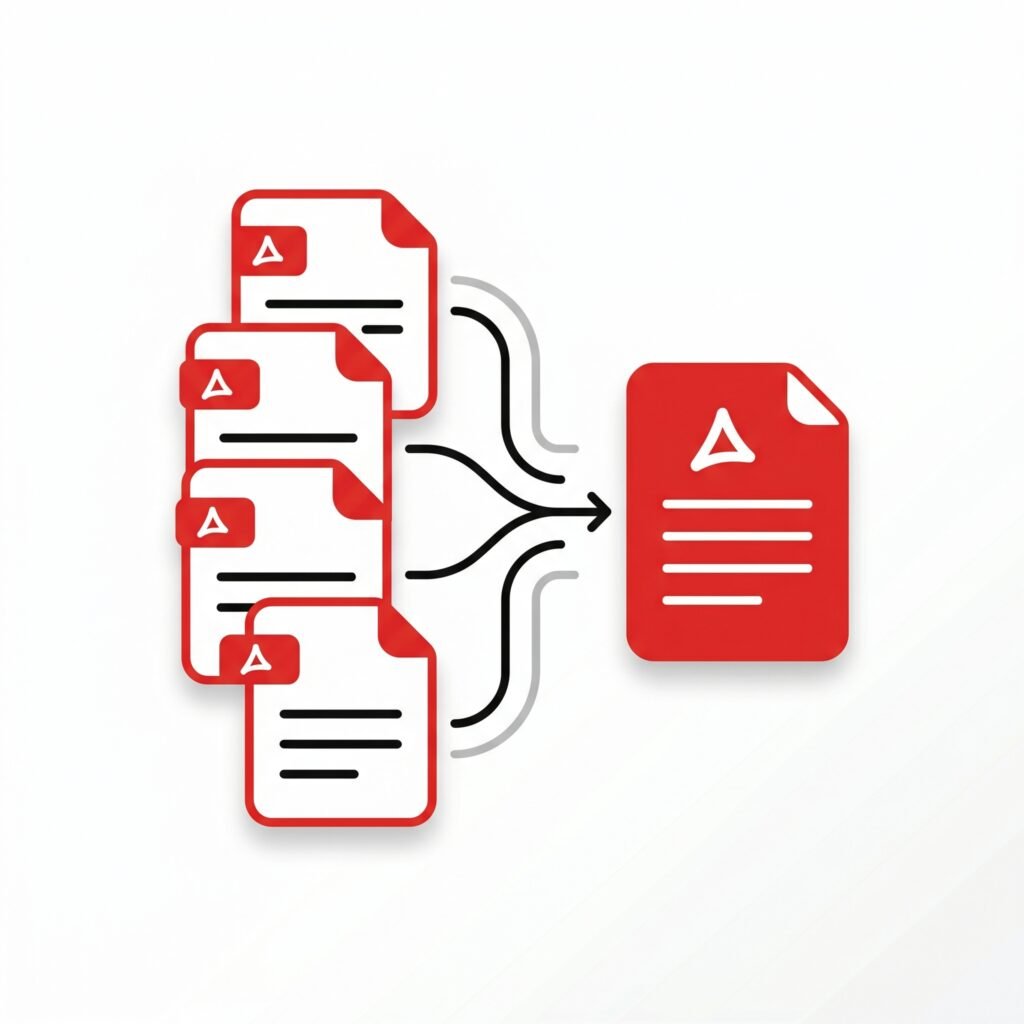
A PDF merger tool is a software application or online platform that allows users to combine multiple PDF documents into a single file. Instead of sending several separate files, users can merge everything into one organized document within seconds. This makes document management easier, cleaner, and far more professional. Whether you are handling office reports, university assignments, invoices, contracts, or presentations, PDF merging tools simplify the process dramatically.
The popularity of PDF tools continues to grow worldwide. According to industry reports, over 400 billion PDF files are opened every year, while cloud-based PDF solutions have seen massive growth since remote work became common. This rise shows how important efficient PDF management has become for businesses, freelancers, and students alike.
How PDF Merging Works
Most PDF merger tools follow a very simple process. Users upload multiple PDF files, arrange them in the desired order, and click the merge button. Within moments, the system generates a single combined PDF file ready for download. Many modern tools also support drag-and-drop functionality, making the experience smooth even for beginners.
Why People Use PDF Merger Tools
People deal with digital documents every day. Imagine preparing a business proposal with separate PDFs for pricing, company profile, and contracts. Sending them individually looks messy and unprofessional. A PDF merger helps create one polished document that is easier to read and share.
Students also benefit greatly from these tools. They often need to combine assignment pages, scanned notes, research papers, and certificates into one file for submission. Instead of struggling with multiple uploads, a merged PDF keeps everything organized in one place.
Business and Office Use
Businesses rely heavily on PDF merger tools for contracts, invoices, HR documentation, and project reports. Combining files reduces confusion and improves workflow efficiency. Many companies also prefer merged PDFs because they are easier to archive and search later.
Student and Academic Use
For students, PDF merging is almost like carrying a digital folder. It keeps research organized and simplifies online submissions for universities and scholarship applications.
Key Features of a Good PDF Merger
Not all PDF merger tools are created equally. Some focus on speed, while others prioritize security or advanced editing features.
| Feature | Benefit |
|---|---|
| Drag-and-drop upload | Faster file organization |
| Cloud integration | Access files anywhere |
| Encryption support | Better document security |
| Page rearranging | Customize file order |
| Batch processing | Merge multiple files quickly |
Security and Privacy
Security matters when handling sensitive documents. Many trusted PDF merger platforms now use encrypted uploads and automatic file deletion systems to protect user data. This is especially important for legal, financial, and healthcare documents.
Online vs Desktop PDF Merger Tools
Online PDF merger tools are perfect for quick tasks because they work directly in a browser. Desktop software, on the other hand, is often better for large files and offline use. According to recent reviews, tools like Adobe Acrobat, Smallpdf, and PDFsam remain among the most trusted PDF merging solutions available today.
Which Option Is Better?
If you frequently handle confidential documents, desktop software may be safer. If convenience matters more, online tools are faster and easier to access from any device.
How to Merge PDF Files Step-by-Step
- Open a trusted PDF merger tool
- Upload your PDF documents
- Arrange files in the correct order
- Click the “Merge PDF” button
- Download the final combined file
The process usually takes less than a minute, even for beginners.
Common Problems While Merging PDFs
Sometimes users experience issues like file size limits, formatting errors, or slow upload speeds. Choosing a reliable platform helps reduce these problems significantly. Some free tools also place restrictions on the number of files users can combine daily.
Tips for Choosing the Best PDF Merger
When selecting a PDF merger tool, consider these important factors:
- Ease of use
- File security
- Speed and performance
- Mobile compatibility
- Cloud storage support
- Free vs paid limitations
A good PDF merger should feel simple, fast, and secure without overwhelming the user.
Conclusion
A PDF merger tool is no longer just a convenience—it has become an essential productivity solution for modern digital work. From students organizing assignments to businesses handling contracts, merging PDF files saves time, improves organization, and creates a more professional workflow. As digital documentation continues to grow globally, PDF merger tools will remain one of the most practical utilities for managing information efficiently.Every web tool at Trim The List is carefully optimized to align with international [Digital Document Standards] to guarantee your files are processed safely, quickly, and with 100% original quality.
Other Useful Tools
Done merging your files? You can now use our [PDF Compressor] to reduce the file size, or add security using our free [Watermark Adder] tool.